Showing posts with label Literacy Centers. Show all posts

Nursery Rhyme Fun!

How many of my kindergarten teacher friends teach nursery rhymes?  It is amazing to me how many of my students come to kindergarten not knowing nursery rhymes.


Nursery Rhymes are so beneficeial to our students.  They are good for the brain!  They are great for fluency and rhyming.  Plus, let's be honest, they are just fun to say!

To supplement my nursery rhyme instruction, I created this Nursery Rhyme literacy unit.


Inside this unit, you will find activities for the following nursery rhymes:
~Humpty Dumpty
~Hey Diddle Diddle
~Itsy Bitsy Spider
~Jack & Jill
~Mary Had a Little Lamb
~Hickory Dickory Dock

I usually teach this unit early in my school year so I made some simple cut and paste sequencing activities.


There is also reading response sheets for each nursery rhyme.


Three simple and fun center activities are also included.  The all-time favorite in my classroom Read & Write the Room.


We work hard on beginning sounds at the beginning of the year (as well as fine motor skills) so Itsy Bitsy Beginning Sounds is perfect for both skills.


Since nursery rhymes have lots of rhyming, it is the perfect time to start to work on that skill with Nursery Rhyme Rhymes.  The students can play rhyming memory for this center.


Then they can record their work by completing a cut and paste activity.  I like to do a lot of cutting and pasting in the beginning of the year so my students can work on their fine motor skills.  Many of my students come in lacking scissor and gluing skills so this is great practice.


If you are interested in this low prep literacy unit, just click on the picture below to grab it from my TpT store!


SaveSave
1

Easy Center Ideas

Are you looking for some fun and easy ideas to make engaging centers in your classroom?  Then you need to head over to Ellison's Education Blog and check out my posts.

Want to see how to make a fun ice cream themed math center?  Click on the picture to read all about it.


Want to see how to take one set of Ellison dies and create four different centers?  This may be my favorite activity of all time.  My students absolutely love these centers!  Click on the picture to find out more about it.


So what are you waiting for?  Head on over to Ellison and check out all the great ideas!  :)


1

Dinosaur Fun!

Oh.  My.  Word.  Teaching about dinosaurs is probably my most favorite unit of all time.  I am not sure why, but I am guessing it is because my students are always so interested in dinosaurs and they crave any and all knowledge they gain about this majestic creatures.

The last two weeks before spring break were all things dino in my classroom.  My students were so eager to learn as much as they could and it just made my teacher heart full.

We did a couple of projects throughout the two weeks.

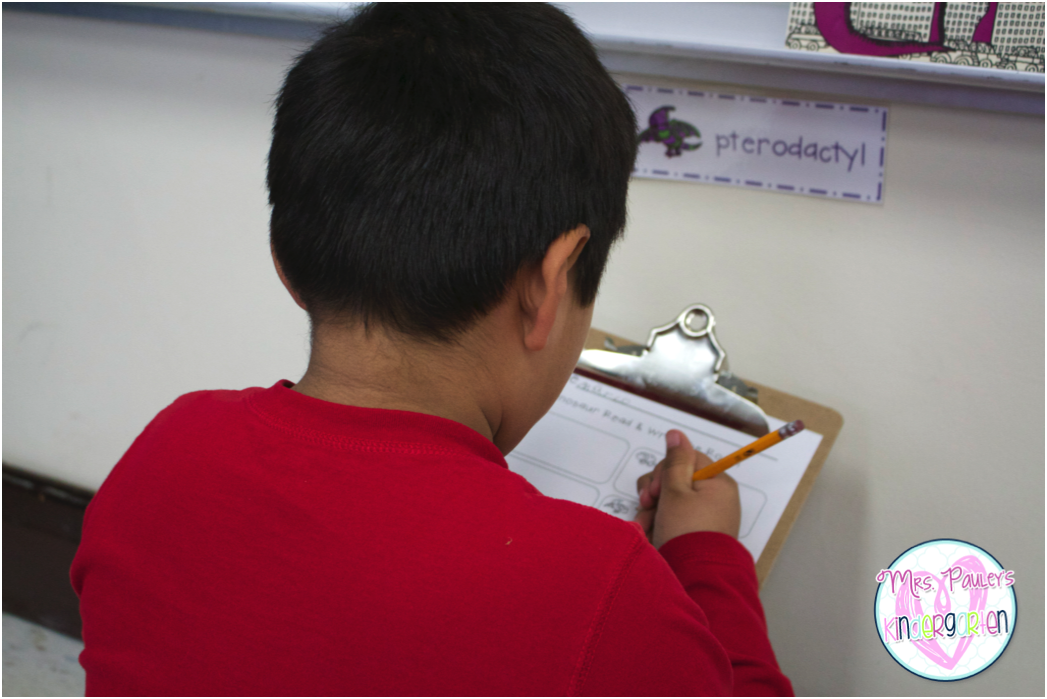
The first one was working with our reading buddies to research a dinosaur.  I gave each pair of students (one kindergarten student and one fourth grade student) an iPad, directions, and a recording sheet.  The buddies worked together to research information about their assigned dinosaur and fill it out on the recording sheet.


The best part of this project was the fourth graders.  They were getting so excited about searching for the information.  One particular student was practically bouncing when he realized he could revise his search and get more specific information.  Ah.  Maz.  Ing.


We ran out of time with our reading buddies so I had my students do the last part on their own.  We found an image of their dinosaur on their iPad and then had them draw and label it on the back of their research paper.


I was so impressed with their artistic abilities.  I have some real artists in my room.

We also made a {almost} life-sized stegosaurus.  We would have made a fully life-sized one, but I didn't have enough room in our hallways at the school.


We made our stegosaurus in pieces and then my fabulous para put the pieces together to put him on the wall.  Our class voted and decided to name him Sam the Stegosaurus.


We wrote an informational interactive writing doing shared research about our stegosaurus.


Another fun project we did was making our own fossils.  We made them out of salt dough one day.


Then I took them home, baked them, and brought them back.  Then we painted our fossils.


While we were learning about fossils, we decided to become paleontologists ourselves.  Although, we excavated chocolate chips out of cookies rather than dinosaur bones.  I don't think I have ever seen my students concentrate so hard on something.  I think you could have heard a pin drop in the classroom while they were working.


We learned how to draw our own stegosaurus and then labeled him because that is a non-fiction text feature we are learning about.


Here are some of our literacy centers we did:

Read and Write the Room - It is always a class favorite.


Dinosaur ROAR - You can read about how to play this game here.


We were working so hard that we needed a little dinosaur snack.


You can find all these activities and more in my new dinosaur unit.  


2

FarFaria App Review & Giveaway

Have you ever wanted your students to have access to hundreds of books at their fingertips?

I know I do.  That's why I think the FarFaria app is so amazing.  It is a digital library with over 800 books and 5 new books are added each week.


I am lucky enough to have 6 iPads in my classroom plus my "teacher" iPad.  My students use the iPads for a variety activities throughout the day, but one of their favorites is for our "Listen to Reading" center during our guided reading time.  FarFaria was perfect for this center.  Let me show you why.

When you access the app, the home screen will show you recently added books, your recently read books, and some thematic books.  For example, right now there is a category of "Books for Black History Month."


Students can choose books here or click on Explore and explore the different FarFaria worlds.  These include Mt. Make Believe, Preschool Playground, Adventure Island, and many others.  This is my students' favorite.  They get to choose stories from their favorite worlds.  


One of the many features I love is that the books are aligned to my students' reading levels.  I can easily choose books for my students to read based on reading level.


Another feature that makes me swoon:  the app has the option for students to either read the story to themselves or have it read to them.  I usually have my students listen to the story first and then if the story is at the correct reading level I have the students also read it to themselves.  


When they choose the read to me option, the story highlights the words as they are being said.  I can't imagine a teacher who wouldn't love that option.  


In addition to using this at center time, I have started using this when my "high flyers" finish early.  I am able to give them an iPad and they are so engaged in the stories that it makes it hard for me to tell them to put them away!  

This app has helped my students get even more excited about reading.  I can't say that I blame them......I am so excited about this app myself.  We even downloaded it on our home iPad so my son and daughter can use.  My kids read every night and sometimes we run out of books before we have a chance to get back to the library.  FarFaria saves the day!  We have so many books at our fingertips it makes our nightly reading even more engaging and FUN!

There are many more amazing features.  We can save our favorite books to My Favorites.  There is also a book club where you can interact with others about the books you are reading.


Are you thinking that this amazing app would be the perfect addition to your classroom?  Well, you are in luck.  Zach from FarFaria has agreed to give away a subscription.  If you don't win, that's ok, they have a free version, but I highly recommend the subscription.  It is totally worth it!

This giveaway will end at midnight on Sunday, March 1st.  Good luck!


a Rafflecopter giveaway


1

Let's Play a Sight Word Game

I recently created a couple of new sight word game packs that are based off of the sight word game "Crash."  As a result, I have had quite a few emails asking how to play this game.  This post should explain it and clear up any questions you may have!

I am using the version that my students are currently using (Winter).  You can find my year long packs here.

 Start with all the cards of your chosen theme placed face down.  I just let my students put them in a pile like this or you could have them stack them up.  This is just easier and faster.  :)


You can play with at least two students, but I wouldn't play with more than four at a time.  I make multiple "decks" if I am having more than four students play.


First student chooses a card and reads the sight word on the card.  If they can read the word, they get to keep it.  If they cannot read the word, the card goes back into the pile.


Then the next student takes a turn and follows the same steps.

If a student draws a "crash" card, (in this case a snowflake card) the student puts all their word cards back in the pile, but keeps the "crash" card.


Continue to play the game until all the cards have been played.  I usually just call that the end of the game and let the students play again, but you can let the students count their cards and whoever has the most can be the winner.  I don't particularly like letting them count to find a winner because it creates some unwanted drama with my kiddos.  ;)


I have created a pre-primer and a primer version of this game.  Each set includes 14 different themed versions of this game.  I teach my students how to play the game and then I can easily switch it out with different themes and different sight words as they progress throughout the year.

I use this as a center or as an activity for early finishers.  The students know exactly what to do and how to play.  I absolutely love this game!


If you have any other questions, please comment below and I will answer them for all to see.  Someone else may have the same question as you!  :)


0

Literacy Centers with Freebie

My class this year has taken a little longer to get ready to do full on literacy centers.  I am totally ok with that because I don't want my students doing independent work at their centers until they are completely ready.

I am very fortunate this year in that our ELL teacher is pushing in during guided reading time so four of my six groups are being met with on a daily basis.  Usually when it is just me, I can only meet with two groups.  (I might also get a classroom para and if that happens then all my groups will meet with a teacher on a daily basis.  PTL!)

I like to keep my activities very simple in the beginning of literacy center time.  I created some freebies for you to use in your classroom.  I have already made copies and they are ready to go for next week in my classroom.  (We are on fall break this week!)

Here is a little preview:

I taught my kids how to play this game last week and we practiced a lot so I know they will be able to independently complete this activity.  All I do is write a sight word right above each dice.  Then I make copies for the center.  I love this because it is so easy to differentiate.  I still have a few kiddos who are learning words like: a, I, the, and my.  For those kids, I will use those words.  For my kids who are ready, I will use our current sight words that we are learning that week.

Would you like to snag this activity (and another one) for free?  Just head to my TpT store and snatch it up!


1

Literacy Apps in the Classroom

Do you have technology in your classroom?  Are you looking for some apps to use with your kindergarten kiddos?  I am here to tell you about some of the apps my students use and love.

I posted about how I letting my kinder babies use iPads during one of our literacy centers.  You can read about that {here}.  Needless to say, its a big hit.  I love it because I can easily differentiate the activity.  At this moment in time, I am choosing the app the students use during literacy center time.  (On Fridays at the end of the day we do "free choice centers".  One of those is the iPads and they are able to choose which apps/games they can play then.)

All the apps I am showing you today are FREE!  Some have option to buy the full version, but for now I am just using the free versions.

Here is a great app for letter identification:

Photo Touch ABC


Students will see an image like this:


Then they are asked to touch a particular letter.  If they touch the incorrect letter it makes a little sound.  If they touch the correct sound, it tells them something positive like "You're great!"  I used this app for my students who were still struggling with letter identification after the rest of the class had mastered that skill.

Here is a great app for letter/word/shape writing:

Little Writer


This is what students see.  They make the whale eat the fish in order to make the letter v.


What I love about this is that it takes each letter one step at a time.  Therefore, the students are not overwhelmed.


You can also use this to write numbers, words, and to draw shapes.  I use the shape writing during math center time.

Here is what the students see when they are drawing a shape:


This time the crab is eating pineapples. :)

Great apps for word building:

All the Spelling Magic Apps.  I have Spelling Magic 1, 2, 3, and 4.  I choose which app my students use.


My students who are just beginning to do CVC words use Spelling Magic 1.  This is what they see:


It is a picture of a map, the letters with boxes, and the iPad will say the word.  As the students move the letter to the box, it will make that letter sound.  They are not able to put the letter in the box unless it is correct.  If they try, it will move the letter back to its original position.

Spelling Magic 2 has consonant blends.  Here are the categories to choose from:


Spelling Magic 3 has multiple syllable words.  There are also categories for the students to choose from.  Spelling Magic 4 has silent e words.

Apps for sight words:

I have two sight words apps on my iPad.  My favorite is called Endless Reader.


The students choose a word.


Put the letters back into the word.  As they move the letters, they make their sound.


Then the students put the words in the sentence.


The app will then read the sentence to the student with a little animation of the sentence.


The other app we have is called Sight Words Grade 1 & 2.


This app has many different games to choose from.  I use this one with my students who need a little challenge. :)

These are just a few of my favorite literacy apps I use in my classroom.  There is also another one that we have on our school's classroom set of iPads, but I can no longer find it in the app store.  It is a phonemic awareness game and I love it!  If you have recommendations of apps we should try, please comment below.  We are always looking for new ones!

I will be posting this week about the math apps we use during math center time.  :)
6